Why This Question Keeps Coming Up
Over the past year, we’ve spoken with several prospects who are still running WordPress sites built with WPBakery. In almost every case, WPBakery wasn’t a deliberate choice—it came bundled with a theme or was selected years ago by a previous agency.
What’s consistent is how those teams feel about it now.
They already suspect WPBakery is outdated. They’ve heard Elementor is newer and easier to use. And they can tell their current setup feels harder to manage than it should be. What they don’t have is clarity about the real trade-offs—or a safe way to migrate without breaking their site.
This post is meant to clarify that decision. If you’re planning a rebuild, a redesign, or any form of WordPress development, your choice of page builder is not a cosmetic decision. It’s an architectural one.
What WPBakery and Elementor Actually Are
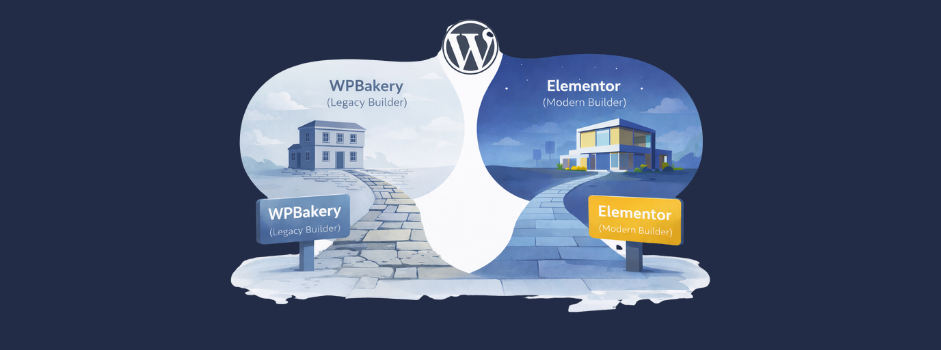
WPBakery and Elementor are both visual page builders for WordPress, but they come from very different generations of WordPress development.
WPBakery is one of the earliest mainstream page builders. It became popular largely because it was bundled into many commercial themes. Under the hood, it stores content using shortcodes—small instruction tags that tell WordPress how to render each part of a page.
Elementor represents a newer generation of builders. It uses a true front-end visual editor and stores content in a much cleaner structure that’s closer to native WordPress and standard HTML.
WPBakery still exists for one main reason: legacy. Thousands of sites were built with WPBakery years ago, and many teams have kept what they inherited.
From a modern web development standpoint, however, the two builders create very different long-term outcomes.
The Developer Experience and Build Speed Reality
One of the most immediate differences between WPBakery and Elementor shows up in development time. In real project work, WPBakery builds typically take 20–30% more development time than comparable Elementor builds. That gap exists for a few reasons:
- WPBakery’s interface is slower and more rigid
- Layout adjustments require more manual tuning
- Reusable templates and global styling are weaker
- The editing experience is less intuitive for modern workflows
Elementor, by contrast, makes it faster to:
- Build and adjust layouts visually
- Create reusable templates and sections
- Apply consistent spacing and styling
- Iterate quickly during client feedback cycles
From a business perspective, this difference matters. Longer build times mean higher development costs, slower turnaround, and more friction during revisions. When teams engage Curotec for WordPress rebuilds or redesigns, this build-time difference alone is often enough to justify moving to Elementor.
The Biggest Technical Trap Shortcode Lock-In
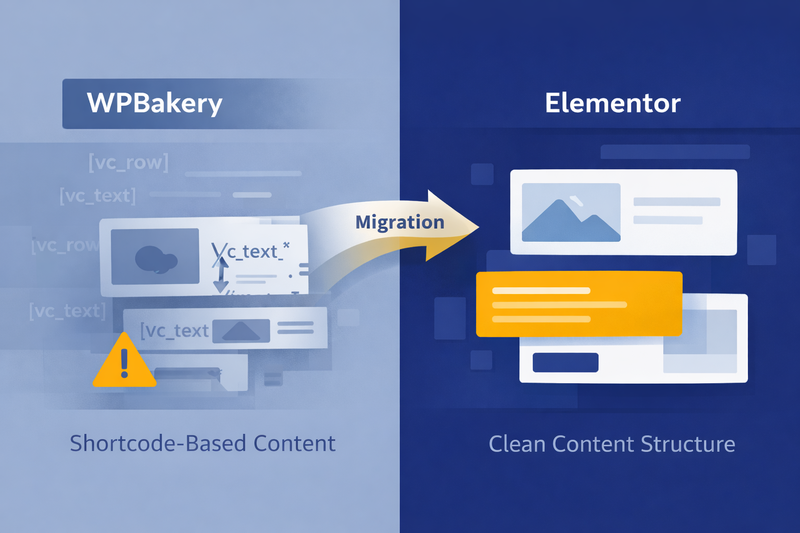
This is the single most important technical difference between WPBakery and Elementor. WPBakery stores content as shortcodes. That means your pages are not really made of normal text and HTML. They’re made of WPBakery instructions.
For example, even a simple block of text might be stored like this:

What this actually means
That line isn’t your content. It’s a set of instructions telling WPBakery how to generate your content. As long as WPBakery is installed, everything looks fine. But the moment the plugin is removed, WordPress no longer knows how to interpret those instructions.
What happens if you remove WPBakery
- Your content effectively disappears from the front end
- Pages are replaced by walls of raw shortcode text
- The site becomes unreadable and unusable without cleanup
What happens if you remove Elementor
- Your layout and styling are lost
- But your text usually remains readable
- Your content still exists in a usable form
This difference is called shortcode lock-in, and it has long-term consequences. It affects:
- How hard it is to change themes later
- How hard it is to switch builders
- How risky future migrations become
- How much technical debt your site accumulates over time
In practical terms, WPBakery makes your content much harder to escape from. For teams thinking about future redesigns, performance upgrades, or application modernization, this lock-in becomes a hidden but very real liability.
WPBakery vs. Elementor At a Glance
👋 Not sure whether to stay on WPBakery or move to Elementor?
Share a few details about your site and goals. We’ll review your setup and outline a practical path forward.
Trusted by tech leaders at:



Theme Compatibility Reality Total vs. Astra vs. Hello
Most prospects don’t realize that the page builder choice isn’t independent. It’s tightly coupled to your theme. One of the most common examples we see is the Total theme.
Total theme and WPBakery
The Total theme works better with WPBakery. Many of its customizer settings, layout controls, and built-in templates were designed specifically around WPBakery’s architecture. When teams try to pair Total with Elementor:
- Some customizer settings don’t apply correctly
- Layout options behave inconsistently
- Template compatibility becomes limited
So if you’re already locked into the Total theme, WPBakery may be the least painful short-term path.
Why this still isn’t ideal long-term
Staying on Total + WPBakery:
- Preserves shortcode lock-in
- Extends technical debt
- Limits future flexibility
- Makes future migrations harder and more expensive
Curotec’s preferred modern stack
For new builds and rebuilds, we strongly prefer:
- Astra theme or Hello Elementor
- Elementor as the primary page builder
This combination creates:
- Cleaner content storage
- Faster development cycles
- Easier long-term maintenance
- Much safer future migrations
In practice, we only recommend WPBakery when a theme forces it. And we generally avoid choosing themes that force WPBakery unless there’s a very specific business reason.
Why Most Clients Should Not Start a New Site on WPBakery
From a modern WordPress architecture standpoint, WPBakery creates structural disadvantages. The core downsides include:
- 20–30% longer build times
- Shortcode lock-in
- Poor migration story
- Higher long-term technical debt
Yet many clients still end up with WPBakery because:
- It came bundled with a theme
- A previous agency defaulted to it
- No one explained the long-term trade-offs
For most organizations, starting a new site on WPBakery today simply doesn’t make sense—especially if the site is meant to support growth, lead generation, or ongoing content marketing.
When WPBakery Might Still Be the Right Choice
There are scenarios in which WPBakery remains defensible. For example:
- You already have a large WPBakery site in production
- You are deeply customized into the Total theme
- You don’t have the budget or timeline for a rebuild
- You cannot risk layout regressions right now
In those cases, the smart move is often:
- Stabilize the existing site
- Avoid new structural changes
- Plan a phased migration later
- Don’t double down on WPBakery long-term
Practical Decision Guide
Choose WPBakery if:
- You are locked into the Total theme
- You cannot migrate right now
- You accept long-term technical debt
Choose Elementor if:
- You are starting a new site
- You want faster builds and edits
- You want clean content storage
- You want easier future migrations
- You plan to use Astra or Hello Elementor
Migration Reality: Why Switching Isn’t Trivial
Many prospects assume they can “just switch builders.” In reality:
- WPBakery layouts do not translate automatically to Elementor
- Shortcodes must be stripped or rebuilt
- Layouts must be reconstructed manually
- Spacing and template logic changes
- QA and regression testing are required
A real migration usually involves:
- Content extraction and cleanup
- Theme replacement or refactoring
- Layout rebuilding in Elementor
- SEO and performance validation
This is why most teams can’t safely migrate without experienced help—especially when traffic, rankings, and conversions are on the line.
How Curotec Helps
Curotec works with teams at every stage of this decision. We help clients:
- Audit existing WordPress sites
- Evaluate theme and builder constraints
- Migrate from WPBakery to Elementor
- Select a future-proof WordPress architecture
Our goal isn’t just to rebuild pages. It’s to help teams avoid locking themselves into decisions that quietly increase cost and risk over time. Whether you’re planning a rebuild, a redesign, or a broader application modernization initiative, we focus on long-term flexibility—not short-term convenience.
WPBakery isn’t just “older.” It creates structural lock-in and long-term costs that most teams don’t see until it’s too late. The cheapest decision today often becomes the most expensive decision later.
When it comes to WordPress, builder and theme choices are architecture decisions—not cosmetic ones. If you’re currently running WPBakery or deciding between WPBakery and Elementor, Curotec can help evaluate your site, your theme constraints, and your long-term goals to recommend the cleanest, lowest-risk path forward. Contact us for guidance on your WordPress setup.