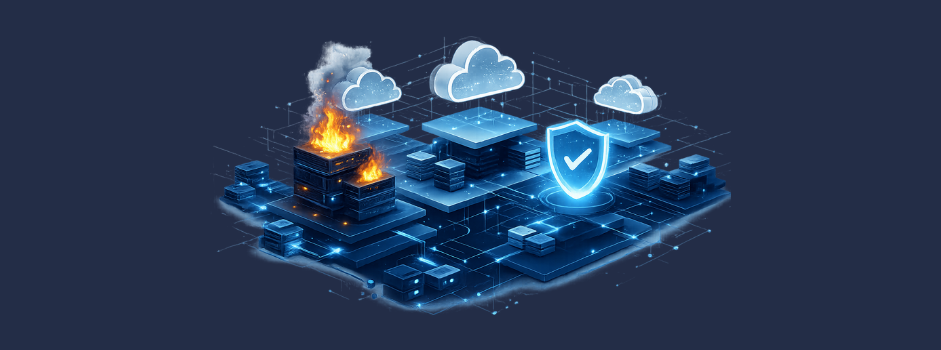
Most cloud disruptions don’t start with something dramatic. They usually come from everyday issues — a configuration pushed too quickly, a dependency no one realized was fragile, or simple human error that lands at the worst possible time. Regardless of the cause, the result is the same: downtime that impacts customers, revenue, and trust.
That’s why a well-built cloud disaster recovery (DR) plan has become non-negotiable for modern organizations. A strong plan doesn’t just help you survive a disaster—it enables you to recover quickly, maintain business continuity, and protect your brand’s reputation in the process.
This guide walks you through everything you need to know: DR strategies, cloud architecture patterns, tools, testing rhythms, and best practices—so you can build a resilient foundation that actually holds up when it matters.
What Is Cloud Disaster Recovery?
Cloud disaster recovery is the practice of using cloud-based infrastructure, services, and automation to restore IT operations after a disruption. Instead of relying on physical secondary data centers, organizations replicate workloads, data, and configurations to geographically isolated cloud regions.
A cloud DR plan typically includes:
- Defined recovery objectives
- Automated failover and failback procedures
- Replicated data stores
- Backup policies
- Testing and validation schedules
- Clear operational runbooks
The goal is simple: restore service fast enough to meet business expectations.
Why Cloud DR Matters More Than Ever
The rise of hybrid work, escalating cyber threats, and the shift toward distributed cloud infrastructure have all made traditional DR planning insufficient. Modern organizations demand:
- Shorter recovery windows
- Highly automated failover
- Reduced infrastructure costs
- Scalable DR environments that adapt as workloads grow
Cloud DR delivers on all four.
Key Components of an Effective Cloud DR Plan
A strong cloud disaster recovery strategy is built on a few core pillars.

1. Recovery Objectives (RPO and RTO)
Your Recovery Point Objective (RPO) determines the acceptable amount of data loss.
Your Recovery Time Objective (RTO) defines how quickly systems must be back online.
Different applications will have different tolerance levels. Mission-critical systems typically require near-zero RPO/RTO, whereas internal tools may allow RPO/RTO of minutes or hours.
2. Architecture & Workload Mapping
Document:
- Dependencies
- Inter-service communication
- Data flow
- High-availability requirements
Cloud DR succeeds or fails based on how well you understand your architecture.
3. Backup & Replication Strategy
Modern DR relies on:
- Continuous data replication
- Point-in-time backups
- Multi-region storage
- Immutable backups to protect against ransomware
Cloud providers simplify much of this, but it still must be planned intentionally.
4. Automated Failover & Failback
Automation reduces human error and accelerates recovery. Organizations rely on:
- Infrastructure-as-code
- Automated orchestration
- Cloud load-balancing
- DNS failover
5. Testing & Validation
A plan that hasn’t been tested probably won’t work. Testing should include:
- Runbook dry-runs
- Chaos engineering experiments
- Partial failover tests
- Full DR drills
Common Cloud Disaster Recovery Strategies
Cloud disaster recovery is not one-size-fits-all. Organizations choose different recovery patterns based on recovery time objectives (RTO), recovery point objectives (RPO), cost tolerance, and operational complexity. Below are the most common cloud DR strategies, ordered from lowest to highest cost and complexity.
Backup & Restore
This is the simplest and most cost-effective disaster recovery approach. Data, configurations, and application state are regularly backed up to cloud storage. In the event of an outage, systems are rebuilt and data is restored from backups.
Key characteristics
- Lowest infrastructure cost
- Longest recovery time
- Manual or semi-automated recovery steps
- Higher risk of data loss depending on backup frequency
Ideal for:
Non-critical systems, internal tools, development environments, and workloads with higher RTO and RPO tolerance.
Pilot Light
In a pilot light strategy, only the core components of an application (such as databases, identity services, or baseline infrastructure) run continuously in a secondary region. The rest of the environment is spun up on demand during a disaster.
Key characteristics
- Faster recovery than backup & restore
- Moderate infrastructure cost
- Requires automation to scale quickly
- Recovery still involves operational intervention
Ideal for:
Systems with moderate availability requirements where downtime is acceptable but prolonged outages are not.
Warm Standby
A warm standby environment maintains a scaled-down but fully functional version of the production system in a secondary region. During an incident, the standby environment scales to full capacity.
Key characteristics
- Low RTO
- Reduced recovery risk
- Higher ongoing infrastructure cost
- Requires continuous synchronization and monitoring
Ideal for:
Customer-facing applications, revenue-impacting systems, and platforms that require rapid recovery with minimal disruption.
Multi-site / Hot-Hot (Active-Active)
In a multi-site or hot-hot model, production workloads run simultaneously across multiple regions. Traffic is routed dynamically, and failures are handled automatically with little or no human intervention.
Key characteristics
- Near-zero downtime
- Minimal data loss
- Highest cost and operational complexity
- Requires advanced architecture, testing, and observability
Ideal for:
Mission-critical systems, regulated environments, and applications where downtime or data loss is unacceptable.
👋 Want help assessing your current disaster recovery readiness?
Share your use case and our team will walk you through a tailored DR strategy for your environment.
Trusted by tech leaders at:



Cloud DR Across Major Providers
How to Build a Cloud Disaster Recovery Plan (Step-by-Step)
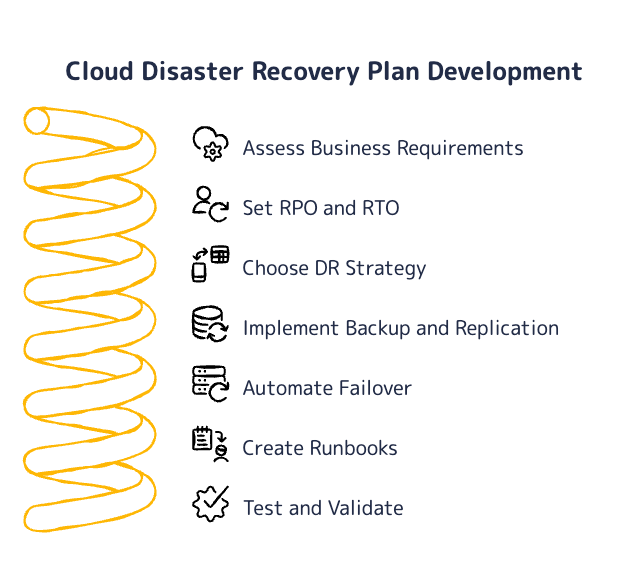
1. Assess Business and Application Requirements
Start by understanding how outages impact the business. Interview stakeholders across engineering, operations, security, and leadership to identify which systems support revenue, customer experience, compliance, and internal operations.
Document service-level agreements (SLAs) and existing availability commitments, then classify workloads by business criticality and blast radius. Pay close attention to system dependencies, shared services, and third-party integrations, as these often dictate recovery sequencing.
2. Set RPO and RTO for Each Workload
Define recovery point objectives (RPO) and recovery time objectives (RTO) for every workload, not just at the application level. Different components often require different recovery guarantees.
These targets directly shape architectural decisions—such as replication frequency, storage tiers, and regional deployment models—and have a measurable impact on cloud costs. Align expectations early to avoid over-engineering low-risk systems or under-protecting critical ones.
3. Choose the Appropriate DR Strategy
Select a disaster recovery pattern that matches each workload’s RPO, RTO, and risk profile. Common options include backup & restore, pilot light, warm standby, and multi-site (active-active) architectures.
It’s common—and often recommended—to use multiple strategies across the environment, rather than forcing all systems into a single model. The goal is proportional protection, not maximum redundancy everywhere.
4. Implement Backup and Replication
Design backup and replication processes that support your defined recovery objectives. This typically includes:
- Multi-region or cross-account storage
- Automated snapshot schedules and retention policies
- Object versioning to protect against accidental deletion
- WORM (write once, read many) storage to defend against ransomware
Ensure backups are isolated from production credentials and regularly validated for recoverability.
5. Automate Failover and Environment Provisioning
Automation is essential for reducing recovery time and human error. Use infrastructure-as-code (IaC) tools such as Terraform, Pulumi, or CloudFormation to define recovery environments consistently.
Automated provisioning enables repeatable failover, predictable scaling, and faster recovery during high-stress incidents. Where possible, integrate automation with monitoring and alerting systems to trigger recovery workflows.
6. Create Disaster Recovery Runbooks
Document the exact steps required to recover each workload, including prerequisites, dependencies, decision points, and verification steps. Runbooks should be written for clarity under pressure and assume limited context during an incident.
Keep them concise, version-controlled, and aligned with your actual infrastructure. Treat runbooks as living documents that evolve alongside the system.
7. Test Frequently and Validate End-to-End
Regular testing is the only way to confirm that a disaster recovery plan works in practice. Conduct quarterly or semi-annual failover exercises that simulate realistic failure scenarios.
During each test, validate:
- Data integrity and restore accuracy
- Application behavior under failover conditions
- DNS and traffic routing changes
- Access controls and identity propagation
- Logging, monitoring, and observability pipelines
Use test results to refine automation, update runbooks, and adjust recovery targets as systems change.
Common DR Mistakes and How to Avoid Them
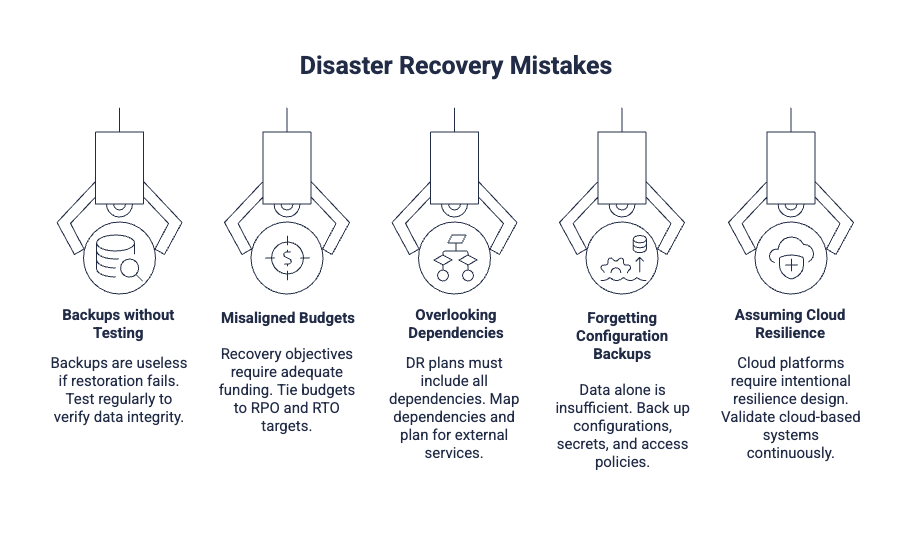
- Relying solely on backups without testing restorations
- Not aligning budgets with RPO/RTO expectations
- Overlooking dependencies like identity providers or third-party APIs
- Forgetting about configuration backups
- Assuming cloud equals resilience (it doesn’t—resilience must be architected)
The Role of Automation and AI in Modern DR
AI-powered anomaly detection, automated provisioning, real-time monitoring, and predictive scaling are transforming disaster recovery. Organizations that embrace automation reduce downtime and eliminate many manual recovery steps.
How Curotec Helps Organizations Build a Modern DR Strategy
Curotec works with engineering leaders to design and implement DR architectures that match your uptime expectations, compliance requirements, and growth plans. Our team helps you:
- Audit your current environments
- Define RPO and RTO across workloads
- Build fault-tolerant cloud architectures
- Automate failover and IaC workflows
- Implement backups, replication, and security controls
- Run DR tests and readiness assessments
If your organization needs a cloud DR strategy you can trust, we can help. Contact us!